
Materials
Octane Universal, Glossy, Diffuse, Metallic, Specular (glass) and Standard Surface materials become Redshift Standard Surface node materials, with their image textures, bump and normal maps. Mix materials become Material Blenders.
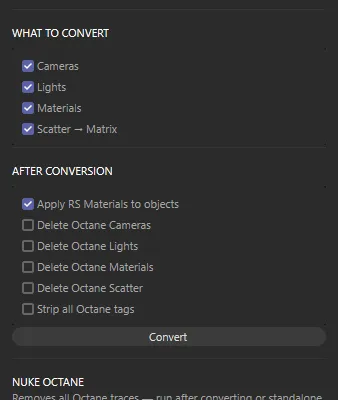
The converter does the repetitive part of moving a scene from Octane to Redshift — usually most of it — and tells you exactly what it couldn’t do, so you can finish the rest by hand. It never aims for a perfect match: two renderers never agree exactly, and lighting always needs a look.
Materials
Octane Universal, Glossy, Diffuse, Metallic, Specular (glass) and Standard Surface materials become Redshift Standard Surface node materials, with their image textures, bump and normal maps. Mix materials become Material Blenders.
Lights
Octane-tagged lights become Redshift lights at the same place, with size, power, colour temperature and animation. Daylight becomes a Physical Sun and an HDRI environment becomes a Dome light with its image.
Cameras
Every camera with an Octane Camera tag gets a Redshift Camera beside it, with focal length, sensor, focus distance, f-stop and animation.
Scatter
Octane Scatter objects become MoGraph Matrix objects set up to instance the same objects in Redshift.